Common Website Security Mistakes (And How to Avoid Them)
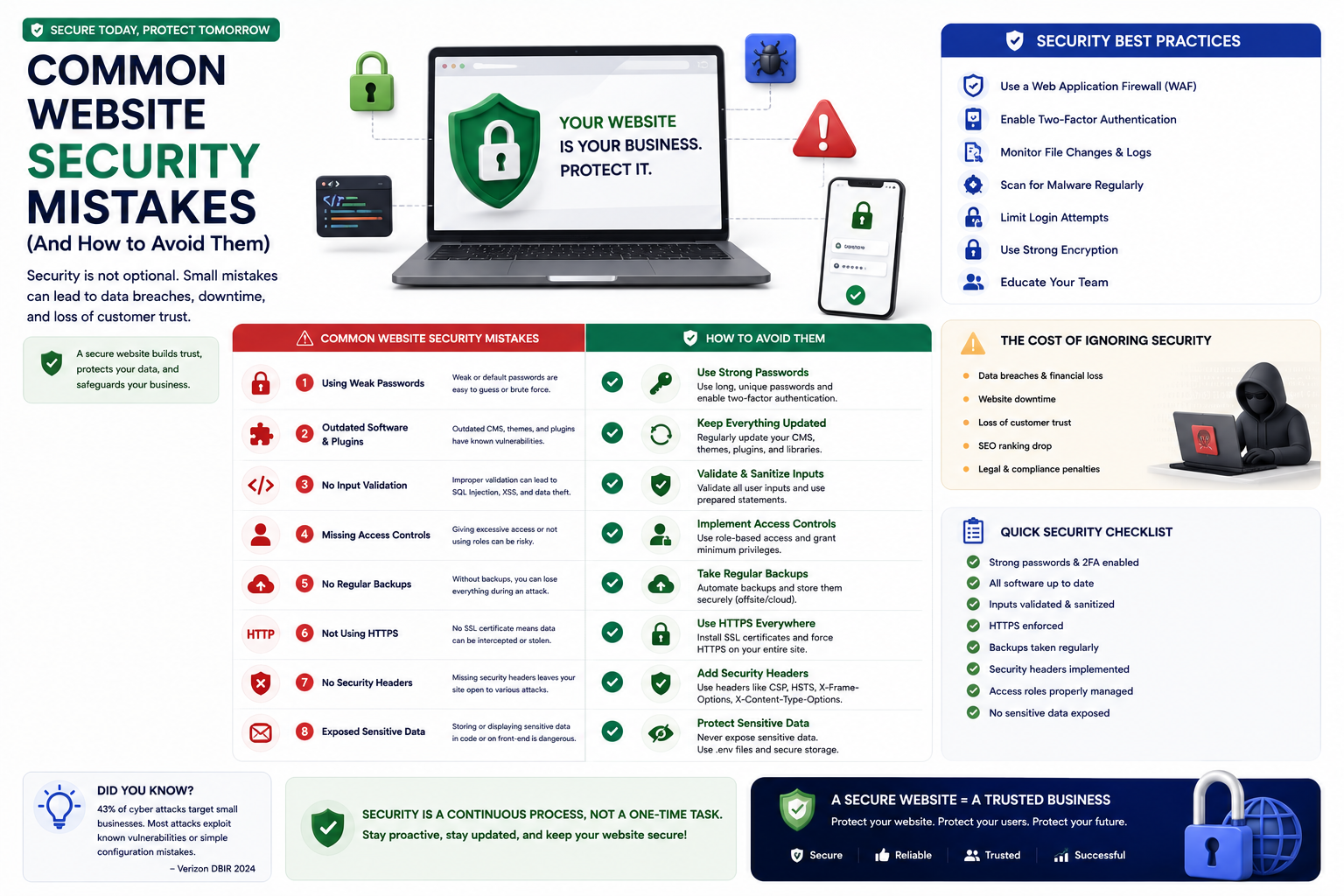

Learn the most common website security mistakes businesses make and how to avoid them. Protect your website from vulnerabilities, data breaches, and cyber attacks.
Common Website Security Mistakes (And How to Avoid Them)
Even well-intentioned businesses make security mistakes that leave their websites vulnerable. Understanding these common errors is the first step to protecting your digital presence.
1. Using Weak Passwords
The most common security mistake is also the easiest to fix. Admin accounts protected by 'password123' or 'admin' are trivial to breach. Use strong, unique passwords. Implement a password manager. Enforce two-factor authentication for all admin accounts.
2. Not Updating Software
Every day, new vulnerabilities are discovered in CMS platforms, plugins, and frameworks. Delaying updates — even by days — leaves your website exposed to known exploits that attackers actively scan for. Enable automatic updates where possible. Subscribe to security announcements for your tech stack.
3. No SSL Certificate
Sites without HTTPS expose user data to interception. Modern browsers display prominent 'Not Secure' warnings that drive visitors away. SSL certificates are free through Let's Encrypt — there is no excuse for not having one.
4. Neglecting Backups
Many businesses assume their hosting provider handles backups — until they discover the provider does not, or the backups are corrupted. Implement independent, automated backups. Test restoration regularly.
5. Using Outdated or Unmaintained Plugins
Abandoned plugins are a major attack vector. Remove any plugin that has not been updated in the past year. Limit plugins to only what is essential. Each additional plugin increases your attack surface.
6. Excessive User Permissions
Giving every user administrator access is convenient but dangerous. Apply the principle of least privilege — users should have only the permissions they need. Review user accounts regularly and remove unused accounts.
7. No Security Monitoring
Without monitoring, breaches can go undetected for months — the average breach detection time is over 200 days. Implement security monitoring to detect unusual activity, failed login attempts, file changes, and traffic anomalies.
8. Storing Sensitive Data Insecurely
Customer data, passwords, payment information must be encrypted. Never store passwords in plain text. Use hashing with salt for password storage. Encrypt sensitive data at rest.
Why Choose RedGobble?
At RedGobble, we build high-performance digital products for startups, businesses, and enterprises. Our expertise includes custom website development, AI solutions, AI agent development, SaaS platforms, ERP and CRM systems, mobile app development, business automation, UI/UX design, SEO-friendly websites, and cloud deployment.
Based in Greater Noida, Uttar Pradesh, India, RedGobble provides custom software development, AI solutions, mobile app development, and web development services for businesses across India and worldwide.
Frequently Asked Questions
What is the most common website security mistake?
Using weak passwords and not enabling two-factor authentication. These are the easiest vulnerabilities to exploit and the easiest to fix.
How often should I update my website software?
Apply security updates immediately upon release. Schedule regular maintenance windows for non-critical updates.
Are free SSL certificates secure?
Yes. Let's Encrypt provides free, industry-standard SSL certificates. Paid certificates offer additional features like extended validation.
How do I check if my website has security issues?
Use free tools like SSL Labs for SSL testing, SecurityHeaders.com for header analysis, and Sucuri SiteCheck for malware scanning. Professional security audits provide comprehensive assessment.
What is the first thing I should do to improve security?
Enable HTTPS, implement strong passwords with 2FA, update all software, and set up automated backups. These four steps address the most common vulnerabilities.
Conclusion
Security mistakes are easy to make but also easy to fix once you are aware of them. By avoiding these common errors, you significantly reduce the risk of a damaging security breach.
Ready to start your project? Book a Free Consultation with the RedGobble team today.